Actions
Bug #2384
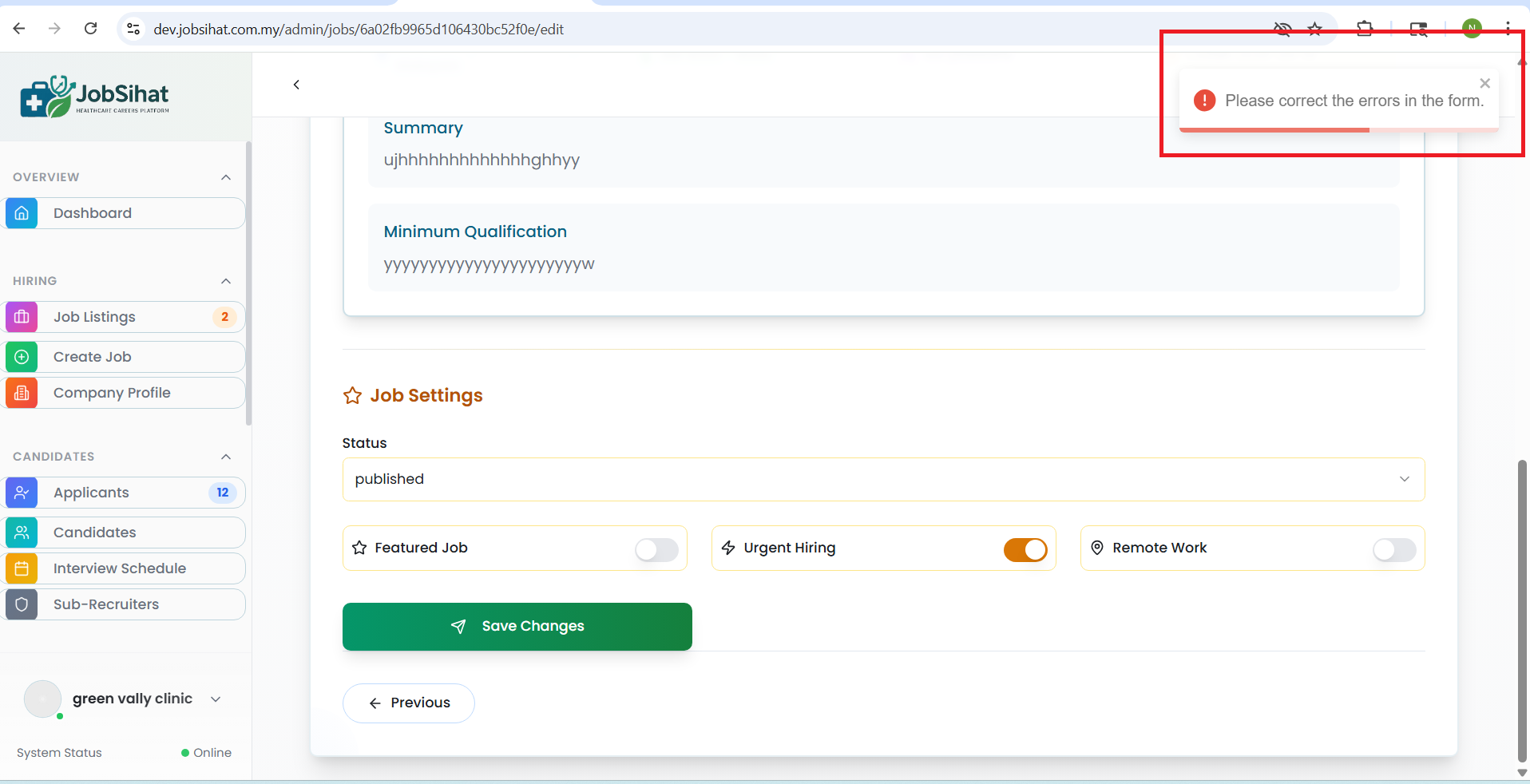
open(Admin) Job Listings page – clicks on the edit button without changing any field, clicks on the save changes button; the system displays the error message: 'Please correct the errors in the form.' Error message displayed in the top right corner issue:
Start date:
05/12/2026
Due date:
% Done:
0%
Estimated time:
Device/Browser/API:
Web Portal
Environment:
Dev
Current Behaviour:
- On the Admin Job Listings page, when the user clicks the Edit button and then clicks the Save Changes button without modifying any field, the system displays the error message “Please correct the errors in the form
Expected Behaviour:
- Instead, the Save Changes button should remain disabled when no fields are modified. Once the user updates any field in the Edit Job Listing form, the Save Changes button should become enabled, allowing the user to save the changes.
Root Cause:
Funcational Gap
Root Cause Detail:
* On the Admin Job Listings page, when the user clicks the Edit button and then clicks the Save Changes button without modifying any field, the system displays the error message “Please correct the errors in the form
* Instead, the Save Changes button should remain disabled when no fields are modified. Once the user updates any field in the Edit Job Listing form, the Save Changes button should become enabled, allowing the user to save the changes.
Description
- On the Admin Job Listings page, when the user clicks the Edit button and then clicks the Save Changes button without modifying any field, the system displays the error message “Please correct the errors in the form
- Instead, the Save Changes button should remain disabled when no fields are modified. Once the user updates any field in the Edit Job Listing form, the Save Changes button should become enabled, allowing the user to save the changes.
Files
No data to display
Actions