Actions
Bug #2454
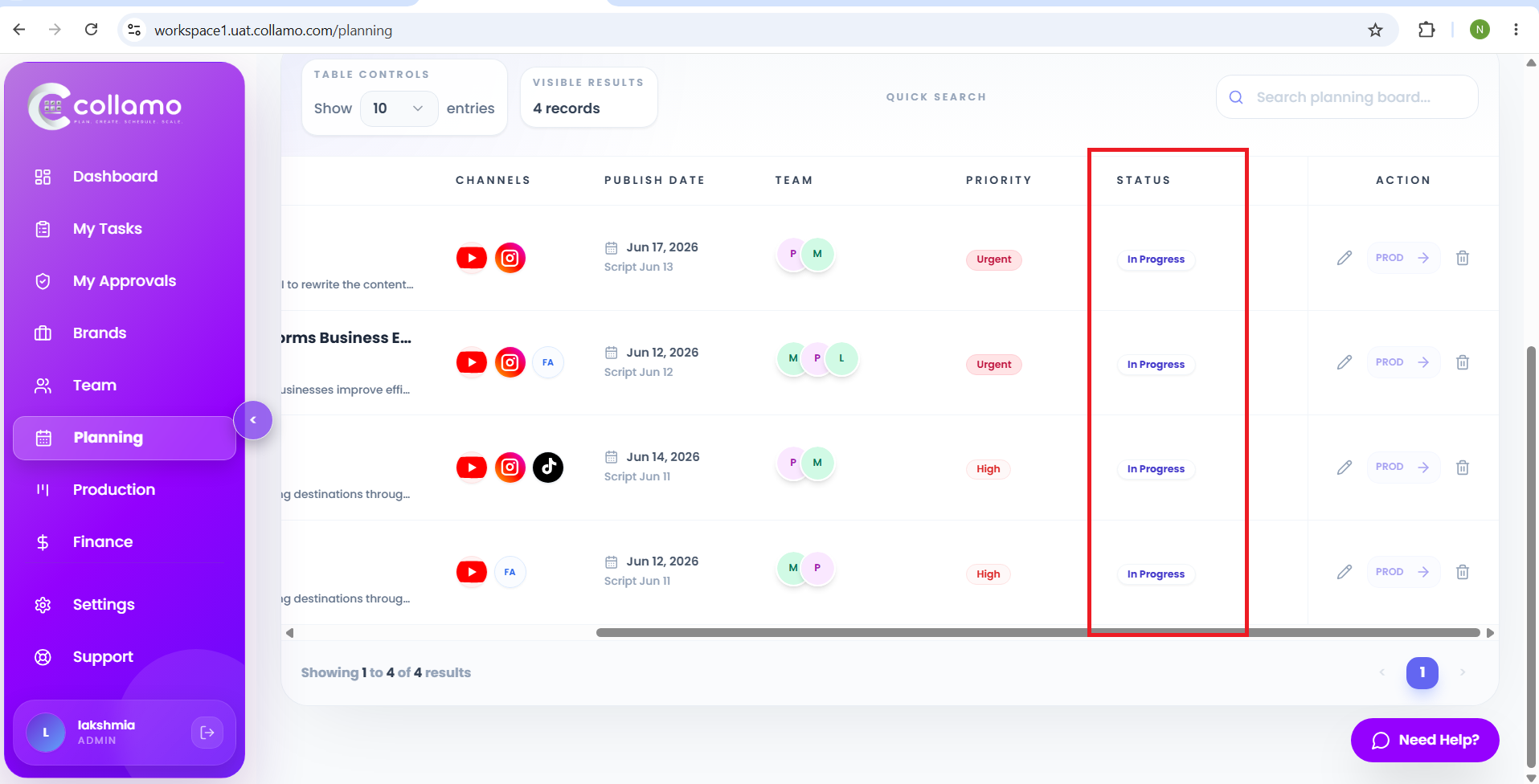
openThe planning page shows "In Progress" status for the published content issue:
Start date:
06/12/2026
Due date:
% Done:
0%
Estimated time:
Device/Browser/API:
Web Portal
Environment:
UAT
Current Behaviour:
- Content that has already been published is displayed with the status "In Progress" on the Planning page.
Expected Behaviour:
- Once content is successfully published, the status should be updated and displayed as "Published" on the Planning page.
Root Cause:
Funcational Gap
Root Cause Detail:
* Content that has already been published is displayed with the status "In Progress" on the Planning page.
* Once content is successfully published, the status should be updated and displayed as "Published" on the Planning page.
Description
- Content that has already been published is displayed with the status "In Progress" on the Planning page.
- Once content is successfully published, the status should be updated and displayed as "Published" on the Planning page.
Files
Updated by Admin Access 5 months ago
- Status changed from Dev_Inprogress to Resolved
Updated by Admin Access 5 months ago
- Assignee changed from Radha P to Lakshmi prasanna V
Actions
#7
Updated by Lakshmi prasanna V 5 months ago
- File Screenshot (3222).png Screenshot (3222).png added
- File Screenshot (3223).png Screenshot (3223).png added
- Status changed from Resolved to Re-Opened
- Assignee changed from Lakshmi prasanna V to Dhanush Kambala
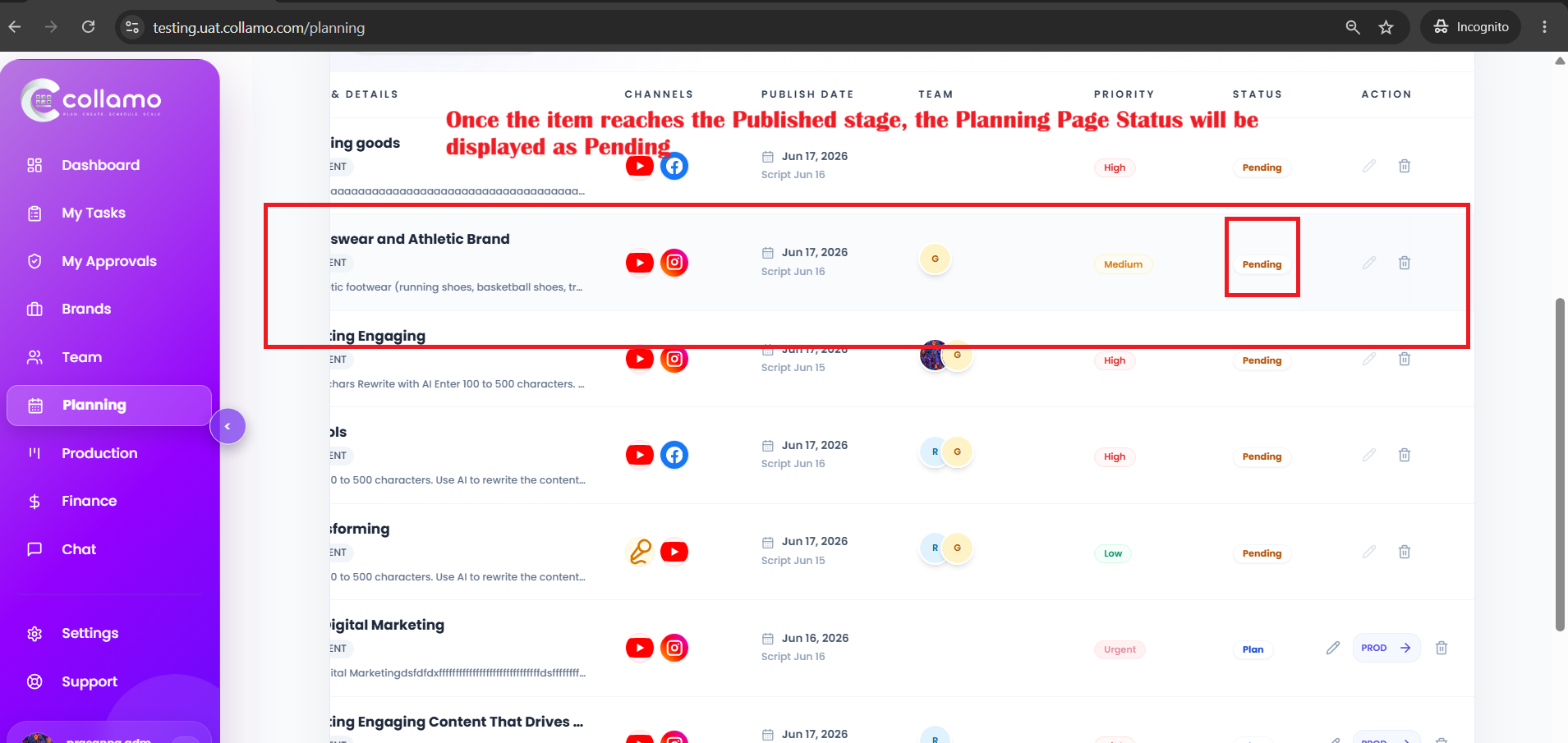
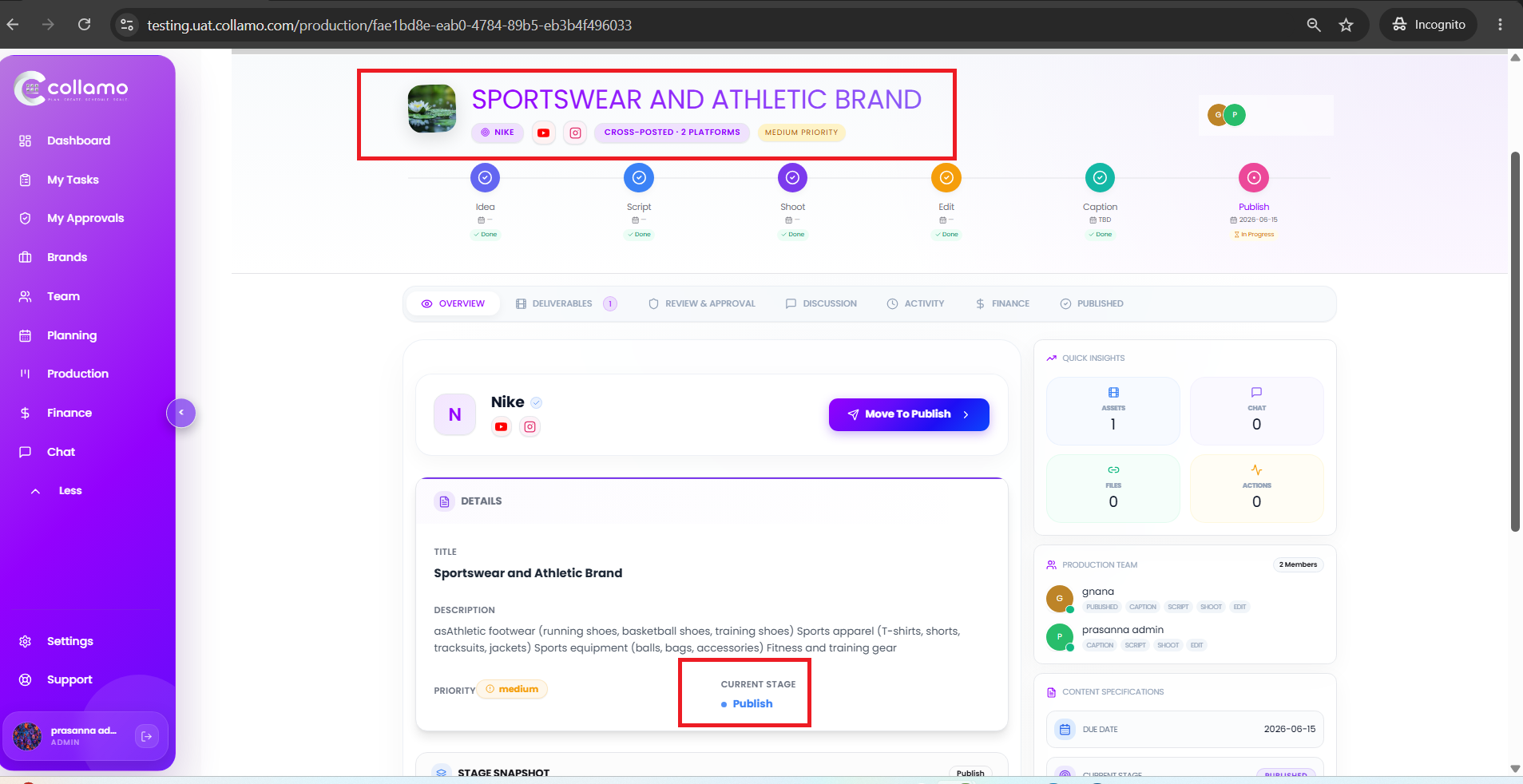
Once the item reaches the Published stage, the Planning Page Status will be displayed as Pending.
Actions