Actions
Bug #2530
openClient Portal – Client Name and Profile Dropdown Options Not Displayed issue:
Status:
Resolved
Priority:
P2-High
Assignee:
Lakshmi prasanna V
Start date:
06/17/2026
Due date:
% Done:
0%
Estimated time:
Device/Browser/API:
Web Portal
Environment:
UAT
Current Behaviour:
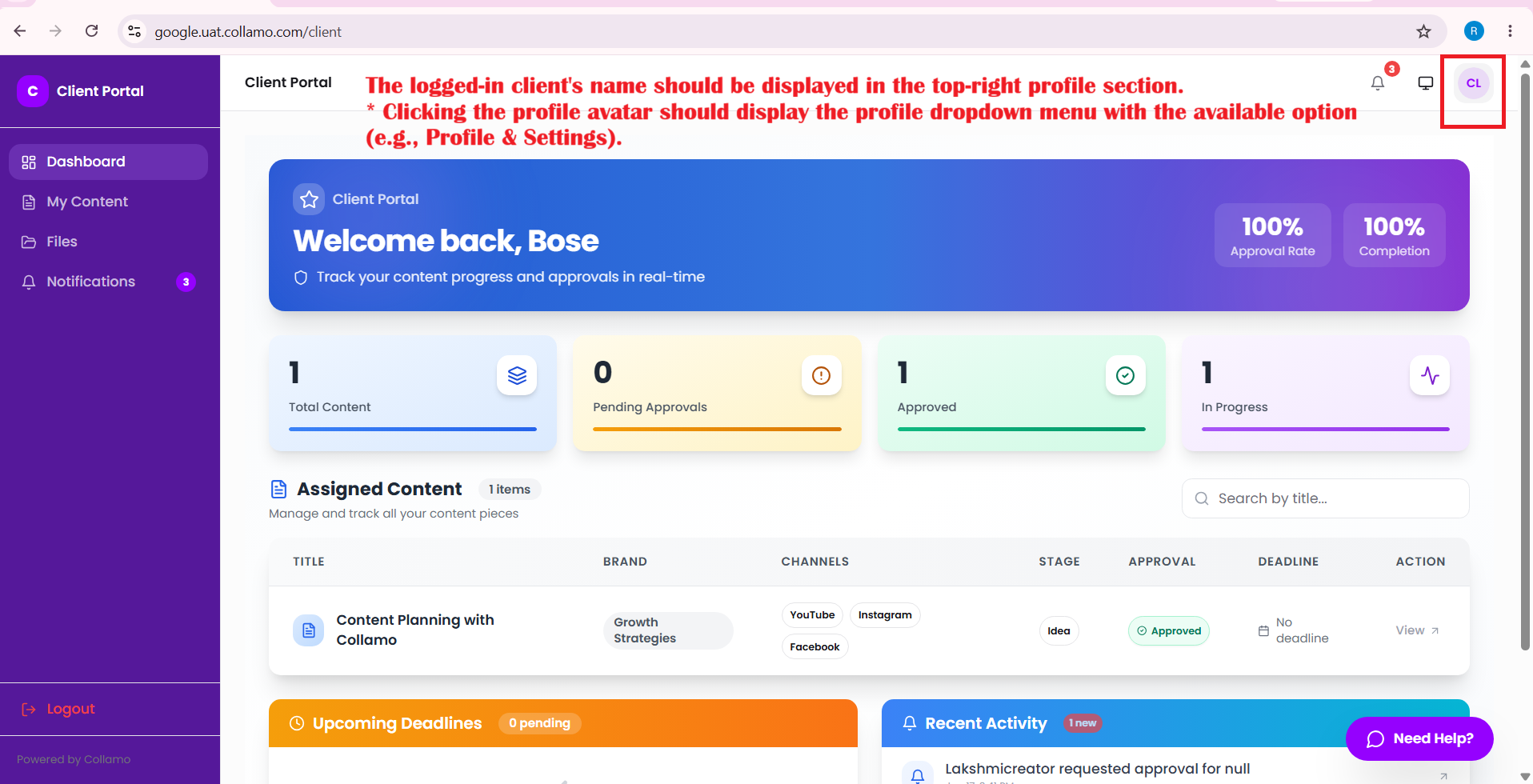
- Client name is not displayed in the top-right corner.
- Profile dropdown menu is not displayed when the avatar is clicked.
Expected Behaviour:
- The logged-in client's name should be displayed in the top-right profile section.
- Clicking the profile avatar should display the profile dropdown menu with the available option (e.g., Profile & Settings).
Root Cause:
Funcational Gap
Root Cause Detail:
* Client name is not displayed in the top-right corner.
* Profile dropdown menu is not displayed when the avatar is clicked.
* The logged-in client's name should be displayed in the top-right profile section.
* Clicking the profile avatar should display the profile dropdown menu with the available option (e.g., Profile & Settings).
Description
- Client name is not displayed in the top-right corner.
- Profile dropdown menu is not displayed when the avatar is clicked.
- The logged-in client's name should be displayed in the top-right profile section.
- Clicking the profile avatar should display the profile dropdown menu with the available option (e.g., Profile & Settings).
Files
Actions