Actions
Bug #2538
openClient Portal – Content Progress Displays Same Workflow Steps for All Content Types issue:
Status:
Resolved
Priority:
P2-High
Assignee:
Lakshmi prasanna V
Start date:
06/18/2026
Due date:
% Done:
0%
Estimated time:
Device/Browser/API:
Web Portal
Environment:
UAT
Current Behaviour:
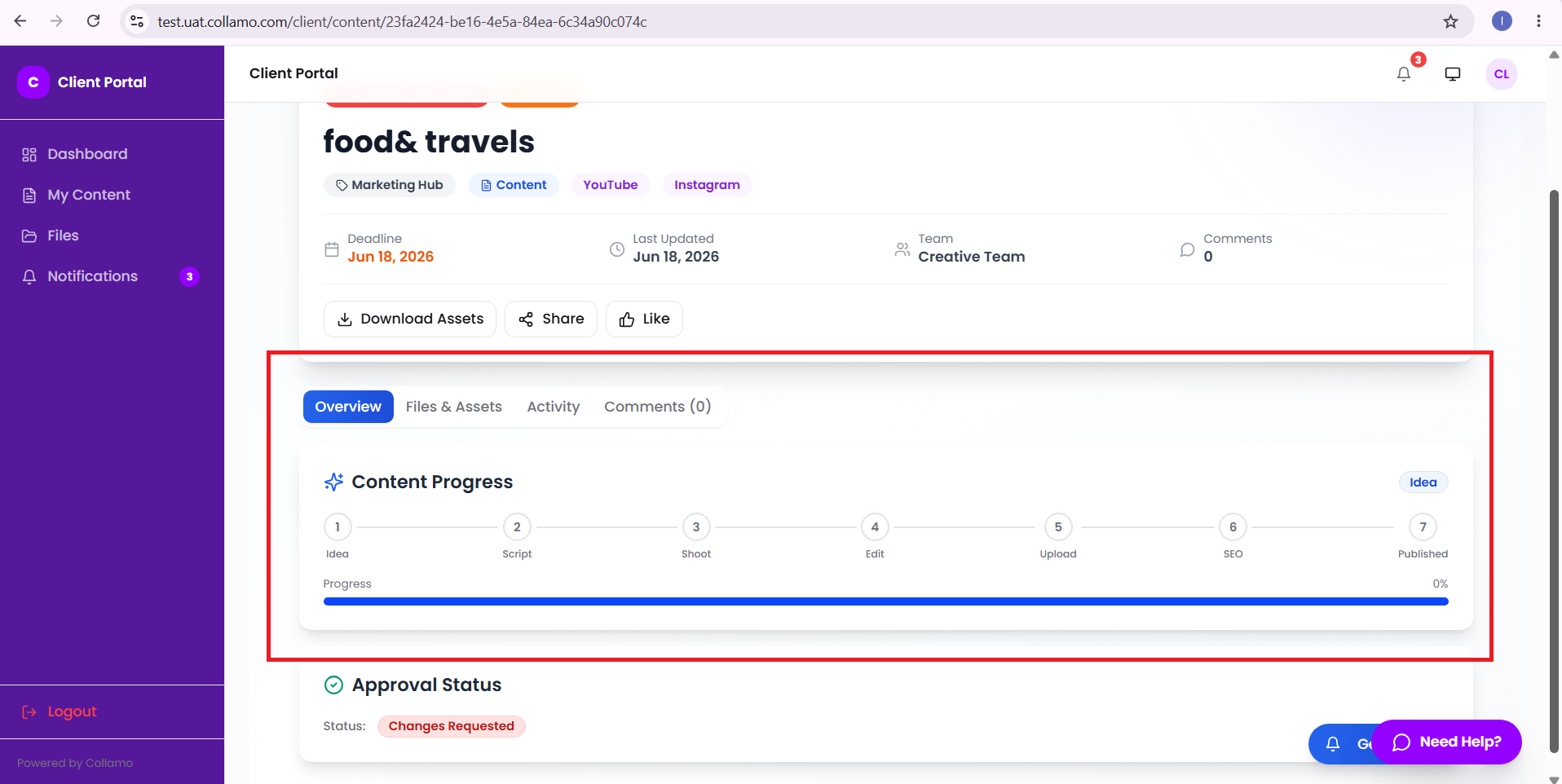
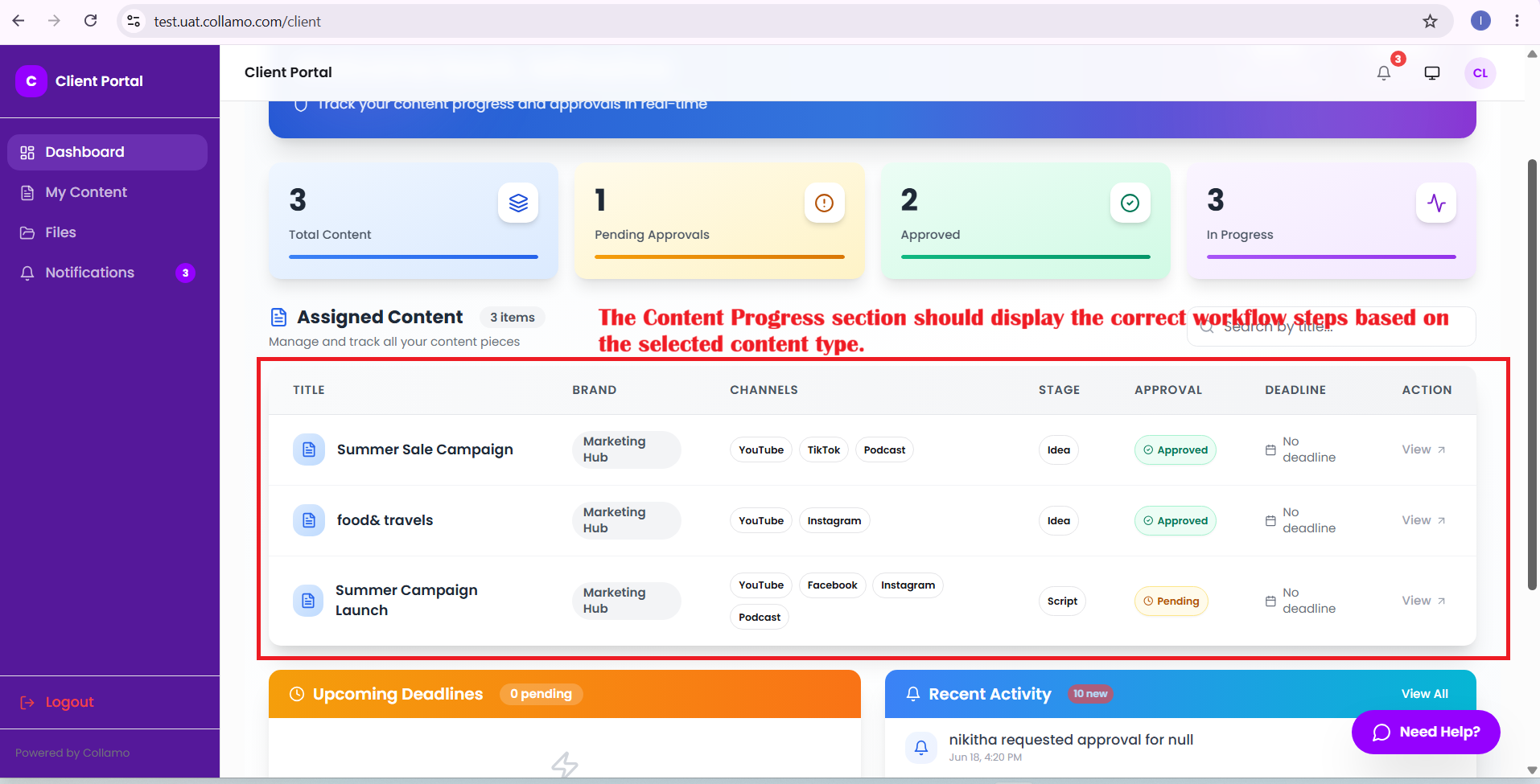
- The user selects a content type and opens the Assigned Content → Content Details Page in the Client Portal. However, the Content Progress section always displays the same workflow steps regardless of the selected content type. The workflow stages are not updated based on the content type.
Expected Behaviour:
- The Content Progress section should display the correct workflow steps based on the selected content type.
Root Cause:
Funcational Gap
Root Cause Detail:
* The user selects a content type and opens the Assigned Content → Content Details Page in the Client Portal. However, the Content Progress section always displays the same workflow steps regardless of the selected content type. The workflow stages are not updated based on the content type.
* The Content Progress section should display the correct workflow steps based on the selected content type.
Description
- The user selects a content type and opens the Assigned Content → Content Details Page in the Client Portal. However, the Content Progress section always displays the same workflow steps regardless of the selected content type. The workflow stages are not updated based on the content type.
- The Content Progress section should display the correct workflow steps based on the selected content type.
Files
Actions