Actions
Bug #2636
openChannels – Inactive channel – Plan new content – Inactive Channel Appears in Creator Channel Dropdown and Allows Content Creation & Production Movement issue:
Start date:
06/30/2026
Due date:
% Done:
0%
Estimated time:
Device/Browser/API:
Web Portal
Environment:
UAT
Current Behaviour:
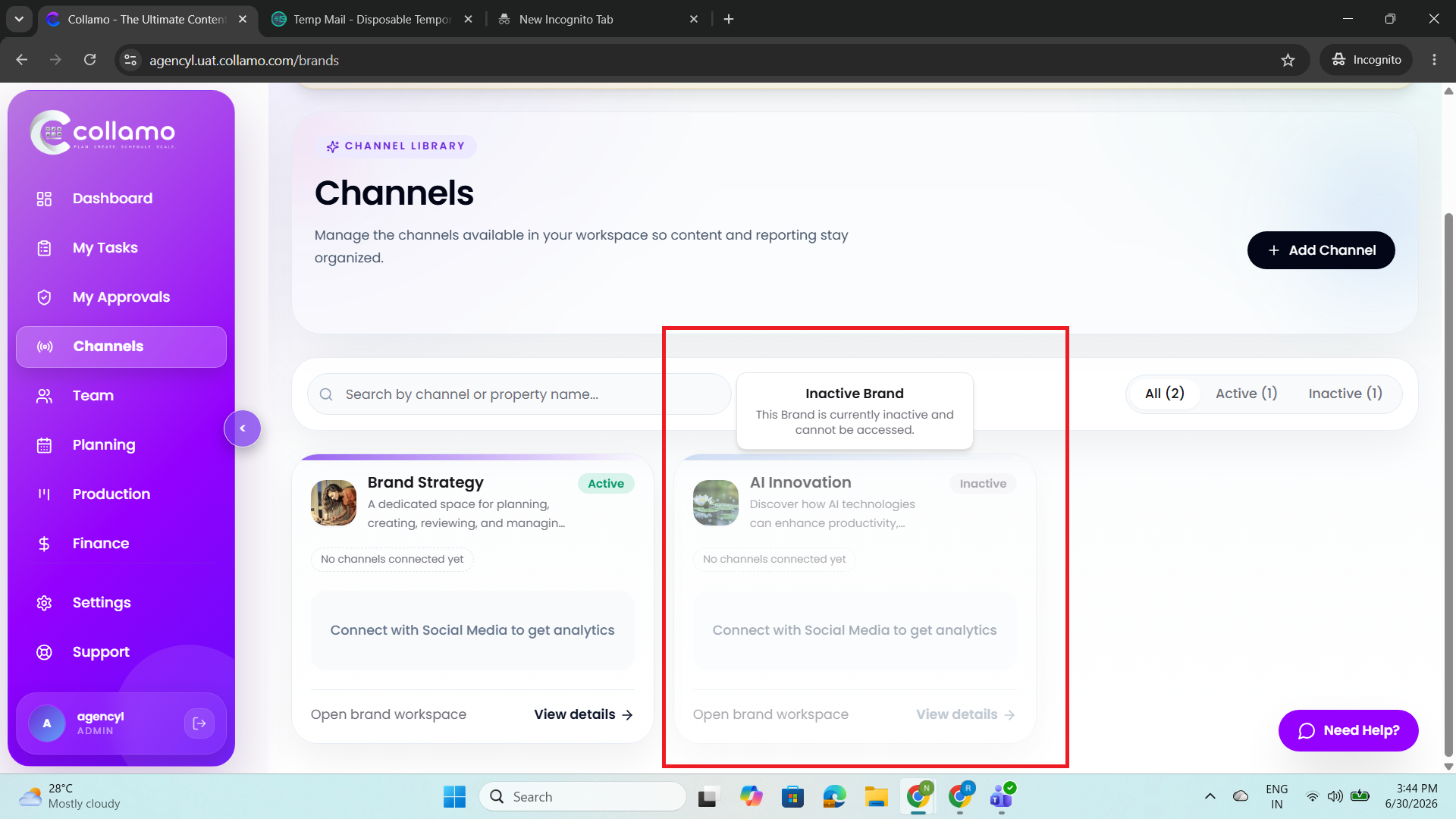
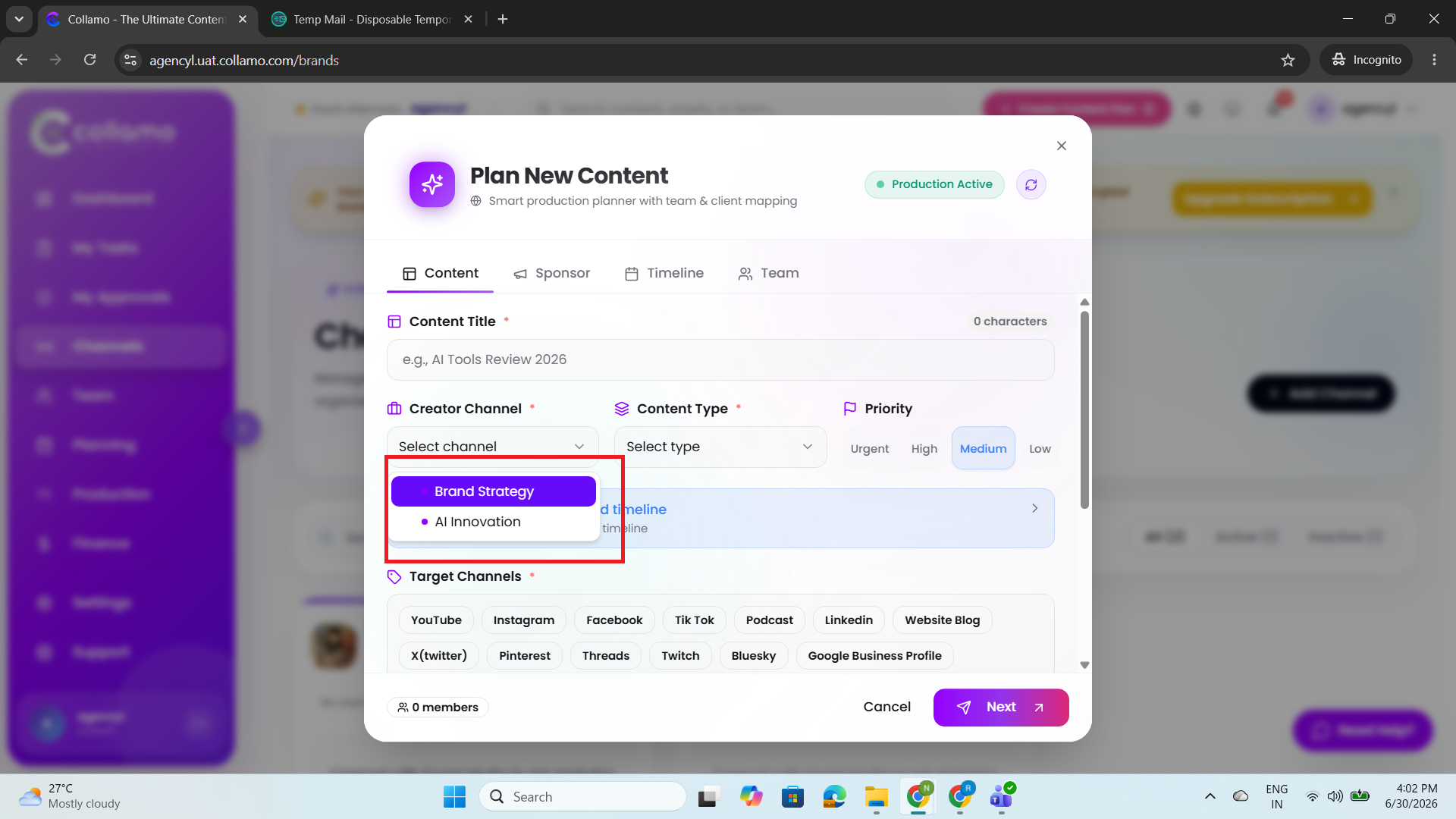
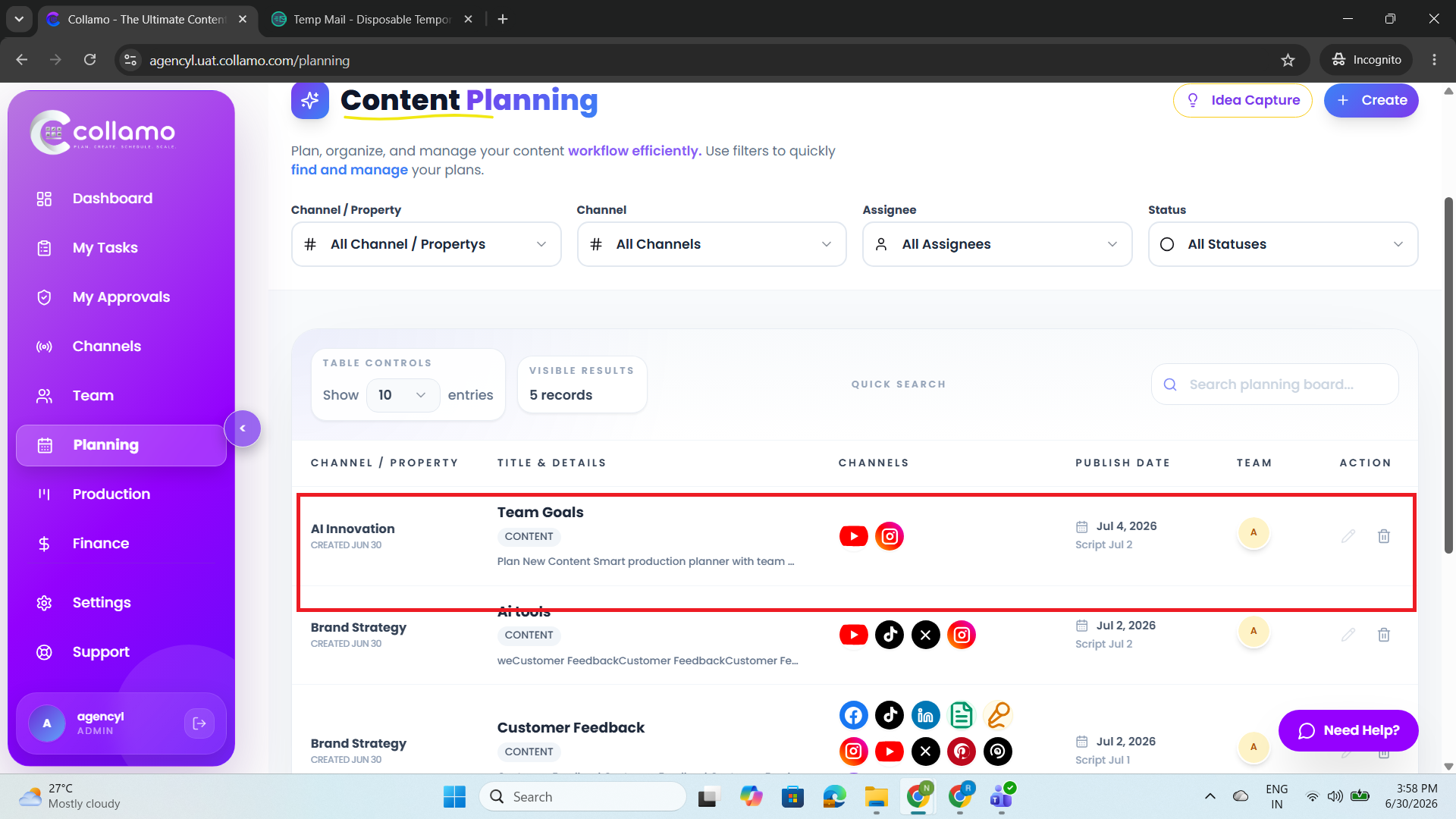
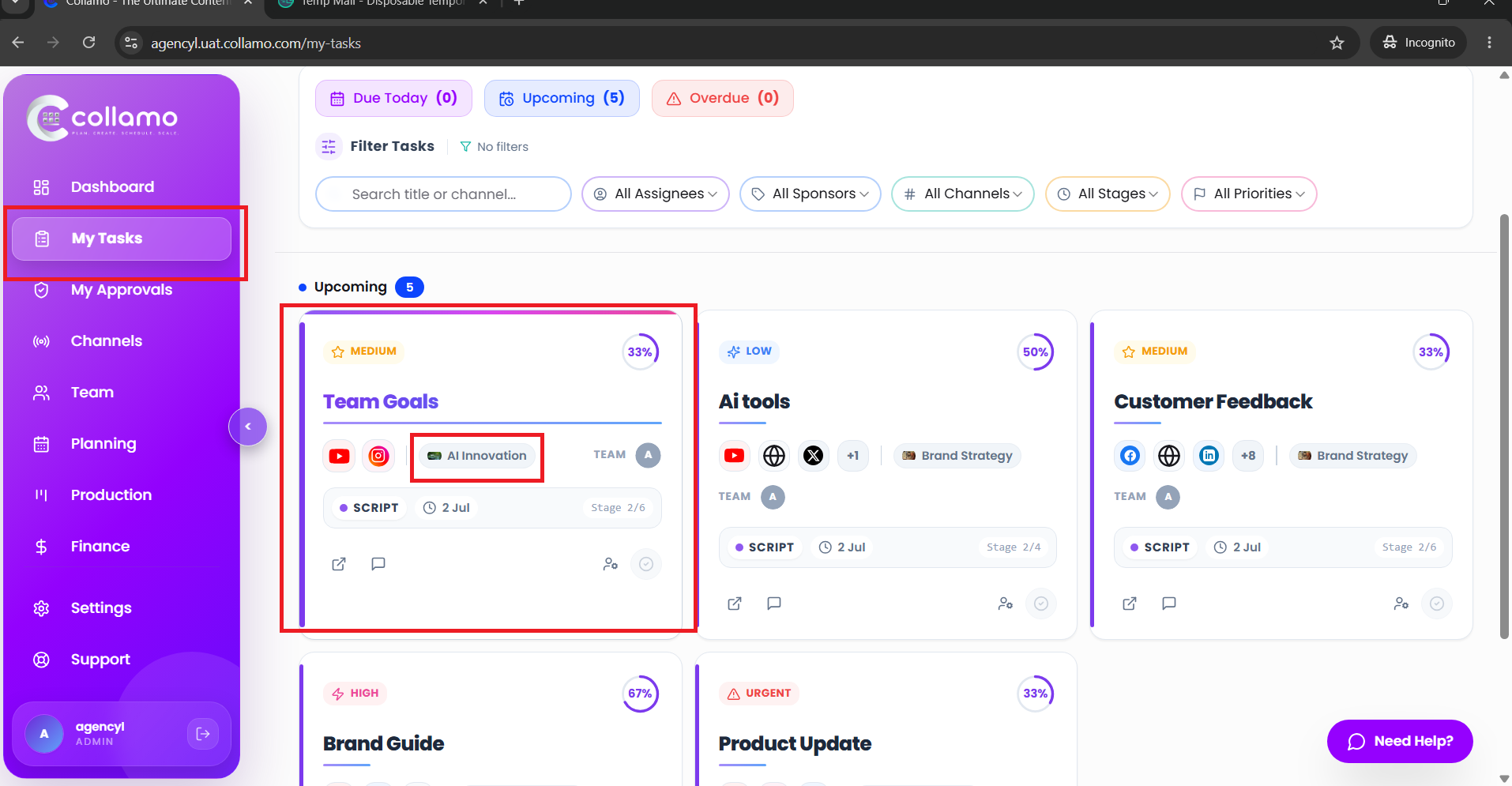
- An inactive channel is displayed in the Creator Channel dropdown while creating new content. Users can select the inactive channel, create content successfully, and the content is moved to the Production stage.
Expected Behaviour:
- Inactive channels should not be displayed or selectable in the Creator Channel dropdown. Users should not be able to create content or move content to Production using an inactive channel. Only active channels should be available for content creation and workflow progression.
Root Cause:
Funcational Gap
Root Cause Detail:
* An inactive channel is displayed in the Creator Channel dropdown while creating new content. Users can select the inactive channel, create content successfully, and the content is moved to the Production stage.
* Inactive channels should not be displayed or selectable in the Creator Channel dropdown. Users should not be able to create content or move content to Production using an inactive channel. Only active channels should be available for content creation and workflow progression.
Description
- An inactive channel is displayed in the Creator Channel dropdown while creating new content. Users can select the inactive channel, create content successfully, and the content is moved to the Production stage.
- Inactive channels should not be displayed or selectable in the Creator Channel dropdown. Users should not be able to create content or move content to Production using an inactive channel. Only active channels should be available for content creation and workflow progression.
Files
Actions