Bug #2452
openChat Message section -- Uploaded Images and Files Are Displayed as Plain Text in Chat issue:
0%
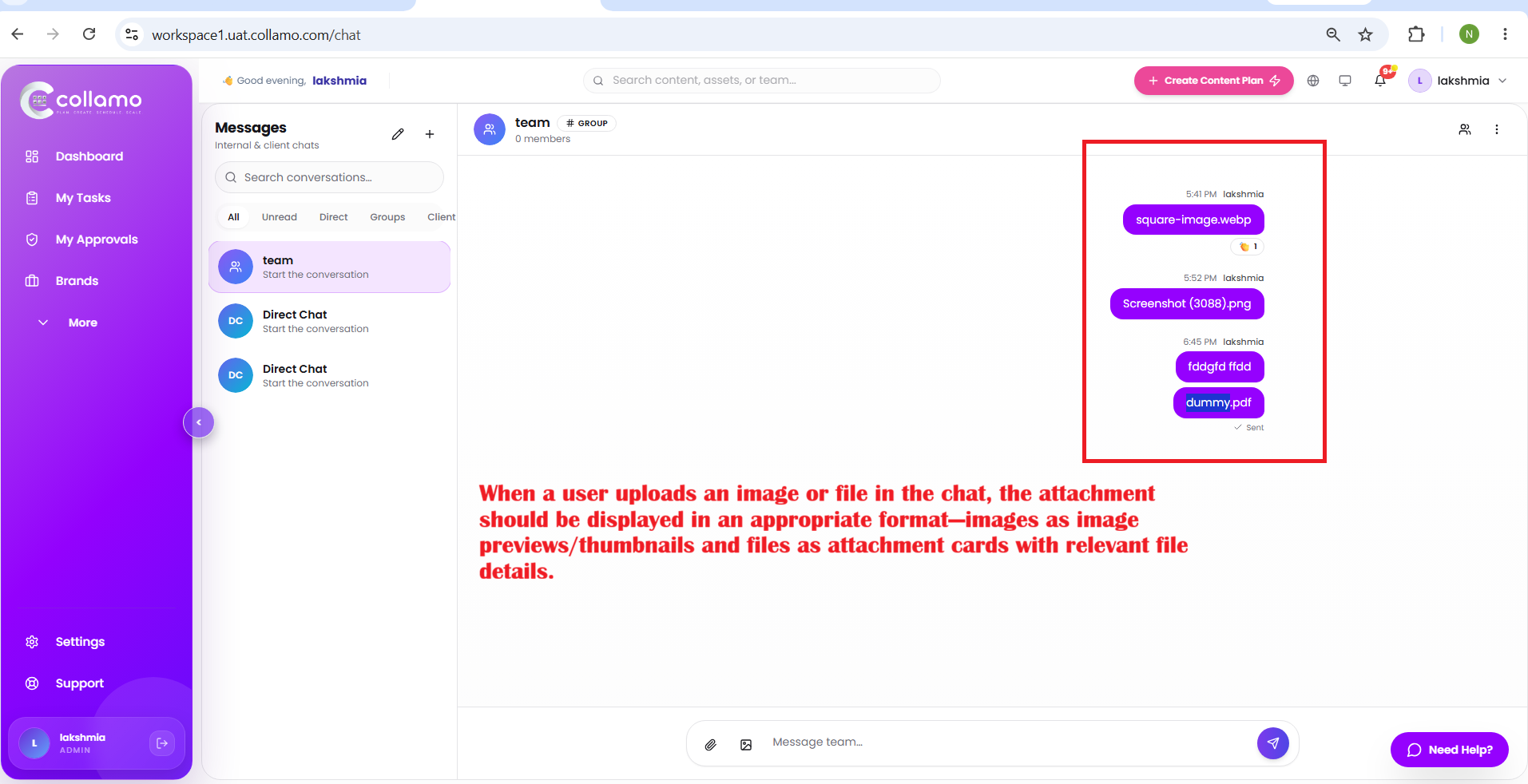
When a user uploads an image or file in the chat, the attachment is displayed only as text (file name) within the chat message.
When a user uploads an image or file in the chat, the attachment should be displayed in an appropriate format—images as image previews/thumbnails and files as attachment cards with relevant file details.
* When a user uploads an image or file in the chat, the attachment is displayed only as text (file name) within the chat message.
* When a user uploads an image or file in the chat, the attachment should be displayed in an appropriate format—images as image previews/thumbnails and files as attachment cards with relevant file details.
Description
- When a user uploads an image or file in the chat, the attachment is displayed only as text (file name) within the chat message.
- When a user uploads an image or file in the chat, the attachment should be displayed in an appropriate format—images as image previews/thumbnails and files as attachment cards with relevant file details.
Files
Updated by Admin Access 5 months ago
- Status changed from Dev_Inprogress to Resolved
Updated by Admin Access 5 months ago
- Assignee changed from Theegala Asritha to Lakshmi prasanna V
Updated by Lakshmi prasanna V 5 months ago
- File Screenshot (3216).png Screenshot (3216).png added
- File Screenshot (3215).png Screenshot (3215).png added
- Status changed from Resolved to Re-Opened
- Assignee changed from Lakshmi prasanna V to Dhanush Kambala
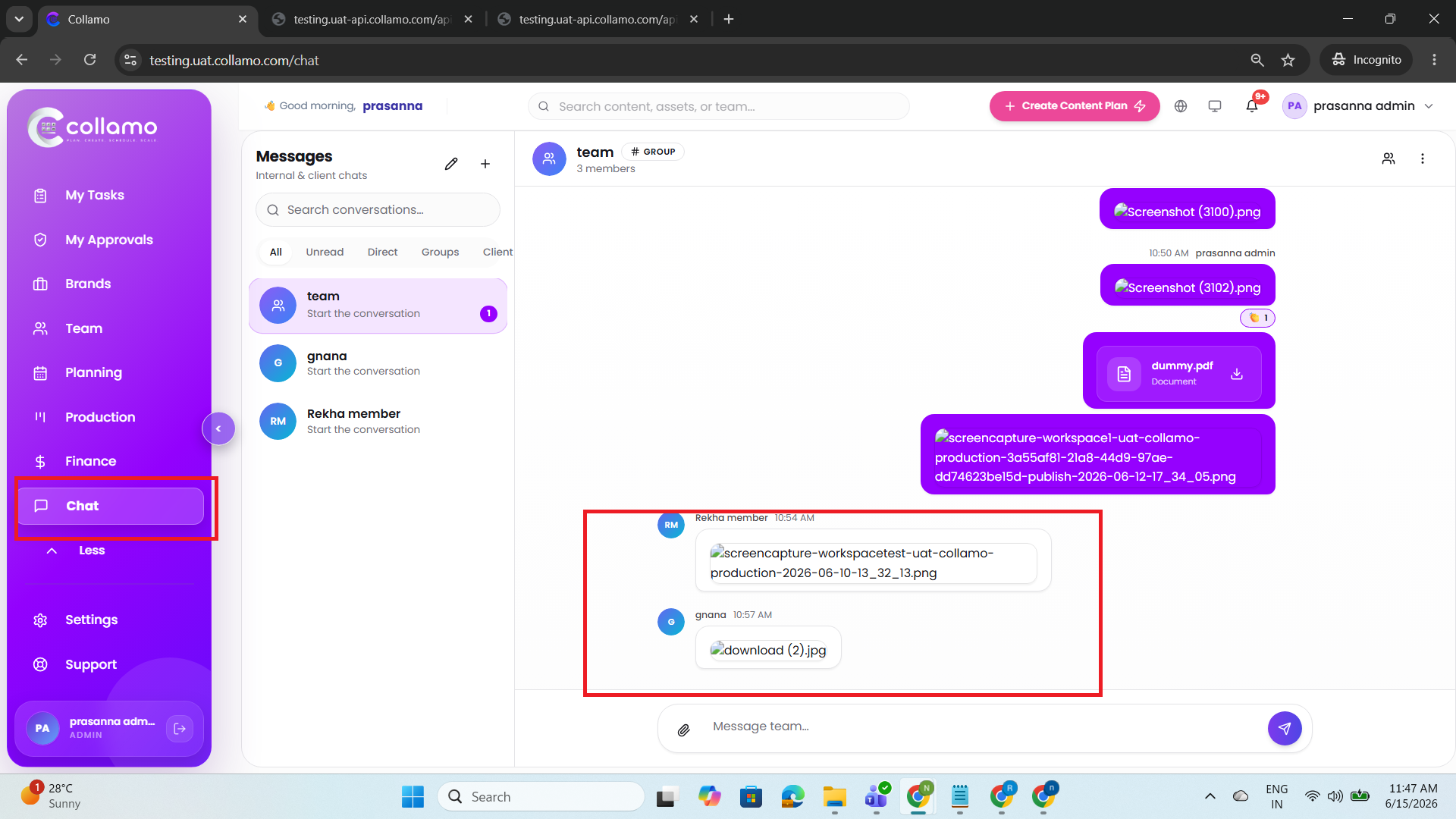
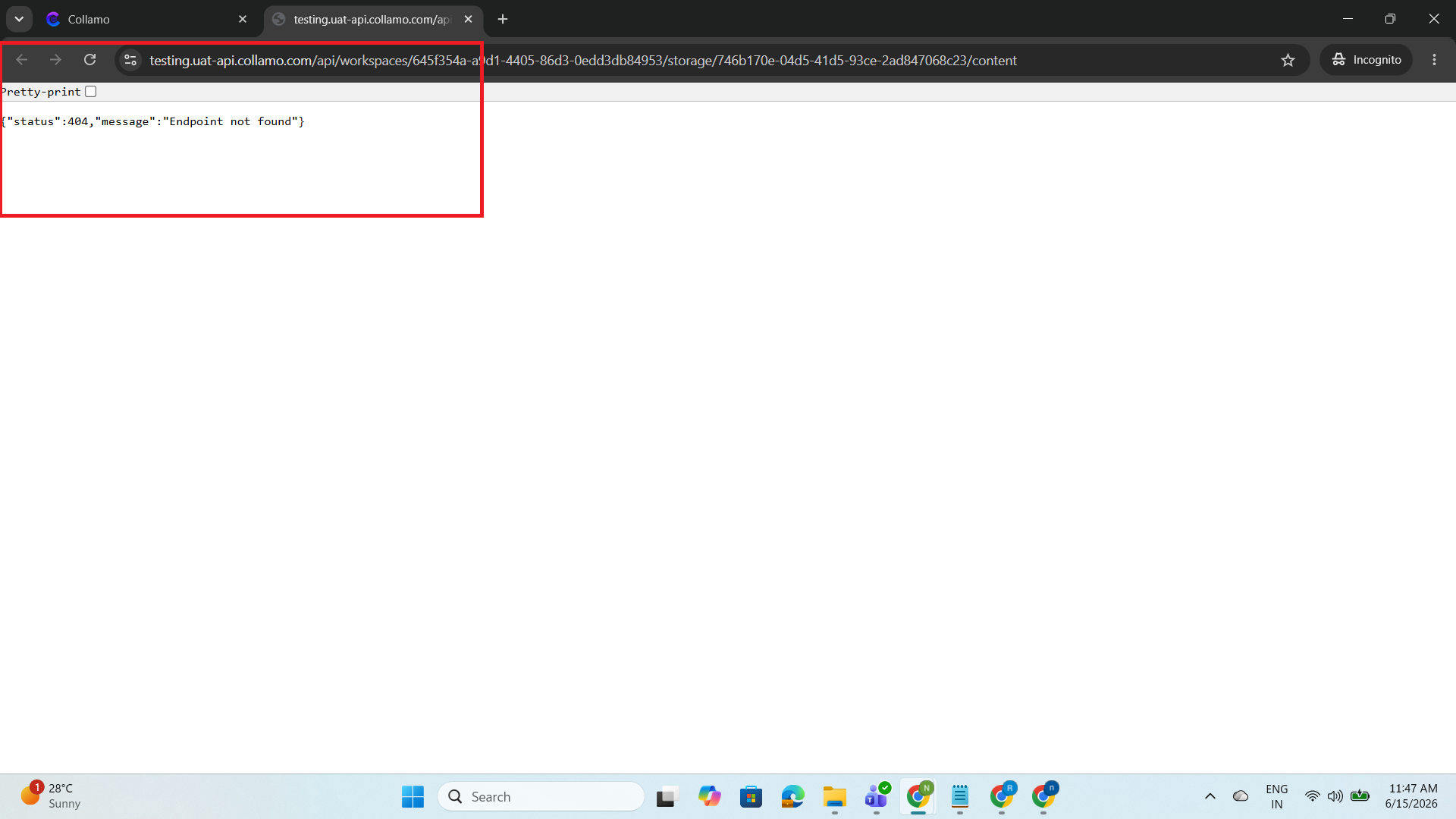
The user can successfully view the files and images they uploaded themselves. However, files and images uploaded by other conversation participants are not displayed. When clicking attachments uploaded by other users, the system returns a 404 – "Endpoint not found" error instead of opening the file.
Updated by Admin Access 5 months ago
- Assignee changed from Theegala Asritha to Lakshmi prasanna V