Actions
Bug #2461
openPlanning Page – Completed Content – Edit, Publish, and Delete Buttons Are Disabled but Actions Are Executed issue:
Start date:
06/13/2026
Due date:
% Done:
0%
Estimated time:
Device/Browser/API:
Web Portal
Environment:
UAT
Current Behaviour:
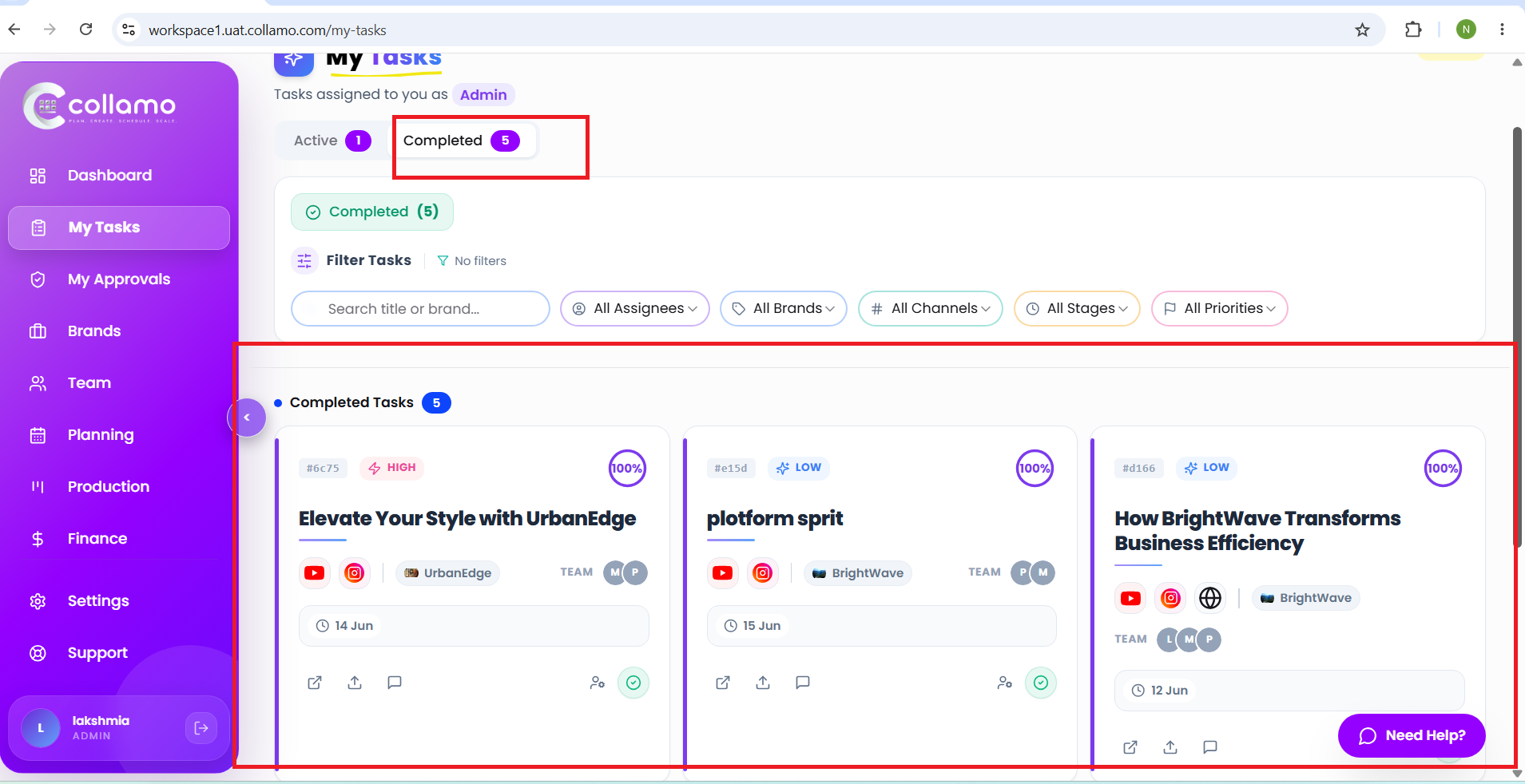
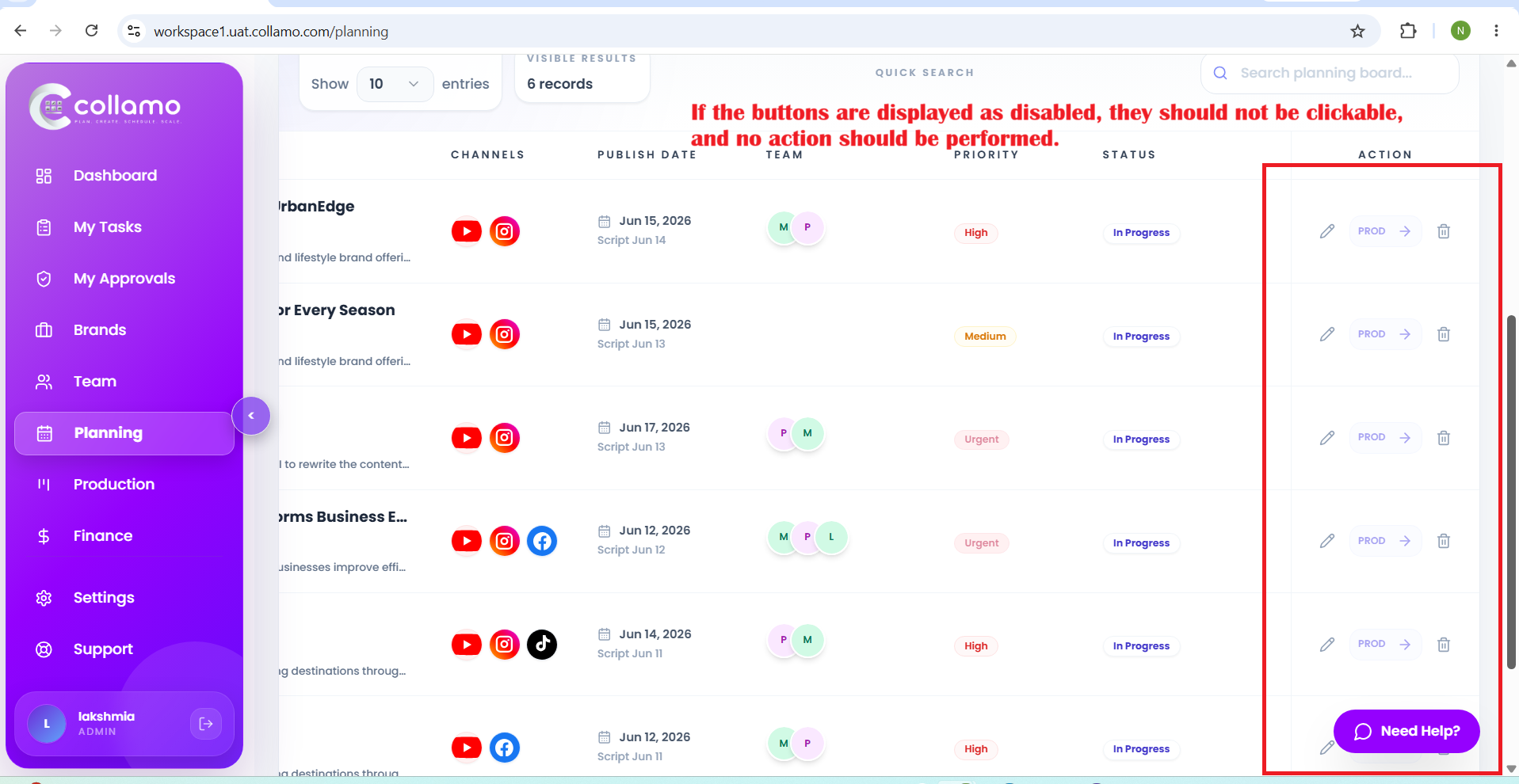
- In the Completed Content section, the Edit, Publish, and Delete buttons appear disabled. However, when the user clicks these buttons, the corresponding actions are still executed.
Expected Behaviour:
- If the buttons are displayed as disabled, they should not be clickable, and no action should be performed.
Root Cause:
Funcational Gap
Root Cause Detail:
* In the Completed Content section, the Edit, Publish, and Delete buttons appear disabled. However, when the user clicks these buttons, the corresponding actions are still executed.
* If the buttons are displayed as disabled, they should not be clickable, and no action should be performed.
Description
- In the Completed Content section, the Edit, Publish, and Delete buttons appear disabled. However, when the user clicks these buttons, the corresponding actions are still executed.
- If the buttons are displayed as disabled, they should not be clickable, and no action should be performed.
Files
Updated by Admin Access 5 months ago
- Status changed from Dev_Inprogress to Resolved
Updated by Admin Access 5 months ago
- Assignee changed from Radha P to Lakshmi prasanna V
Actions
#6
Updated by Lakshmi prasanna V 5 months ago
- File Screenshot (3227).png Screenshot (3227).png added
- File Screenshot (3225).png Screenshot (3225).png added
- File Screenshot (3228).png Screenshot (3228).png added
- Status changed from Resolved to Re-Opened
- Assignee changed from Lakshmi prasanna V to Dhanush Kambala
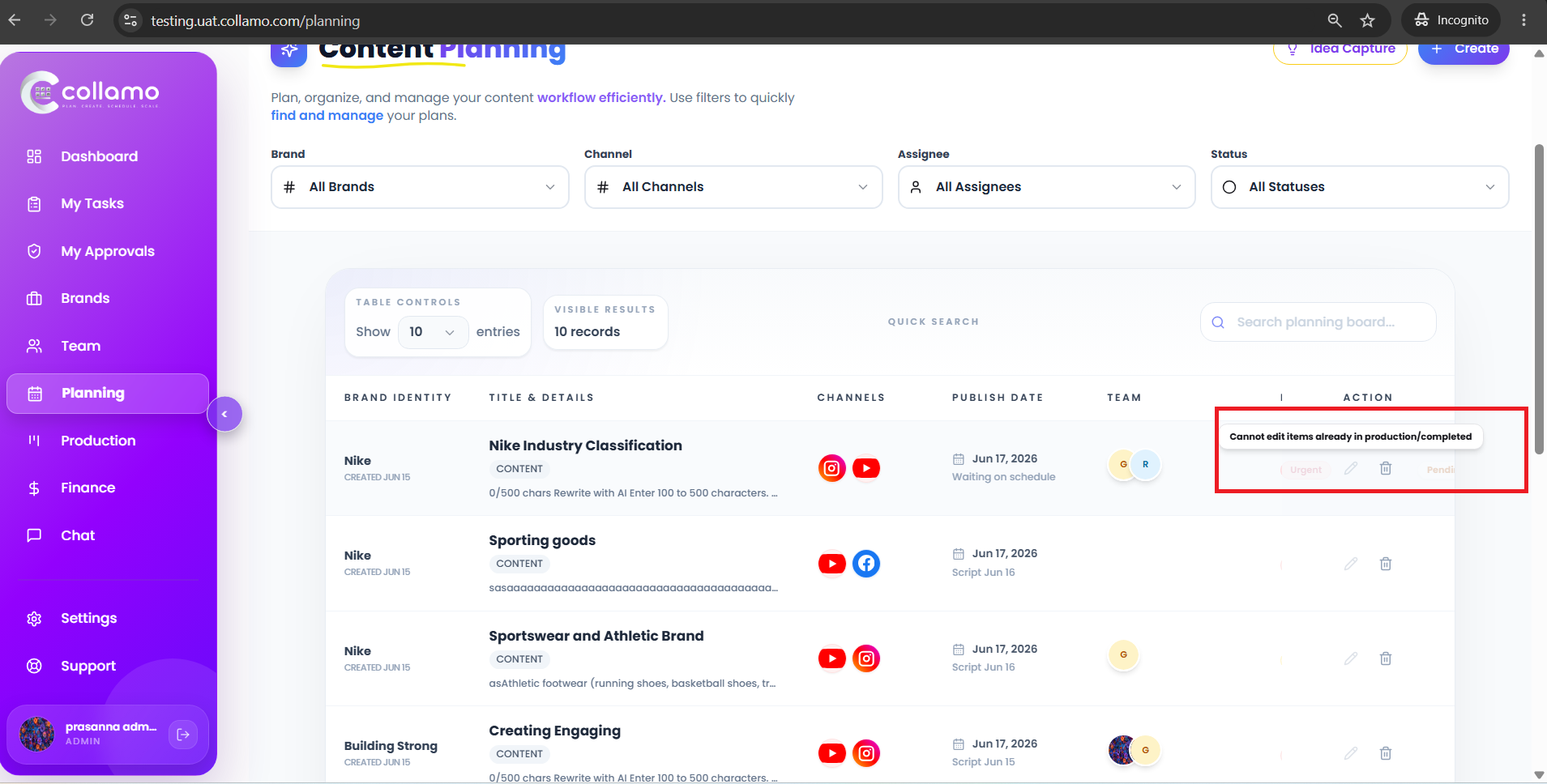
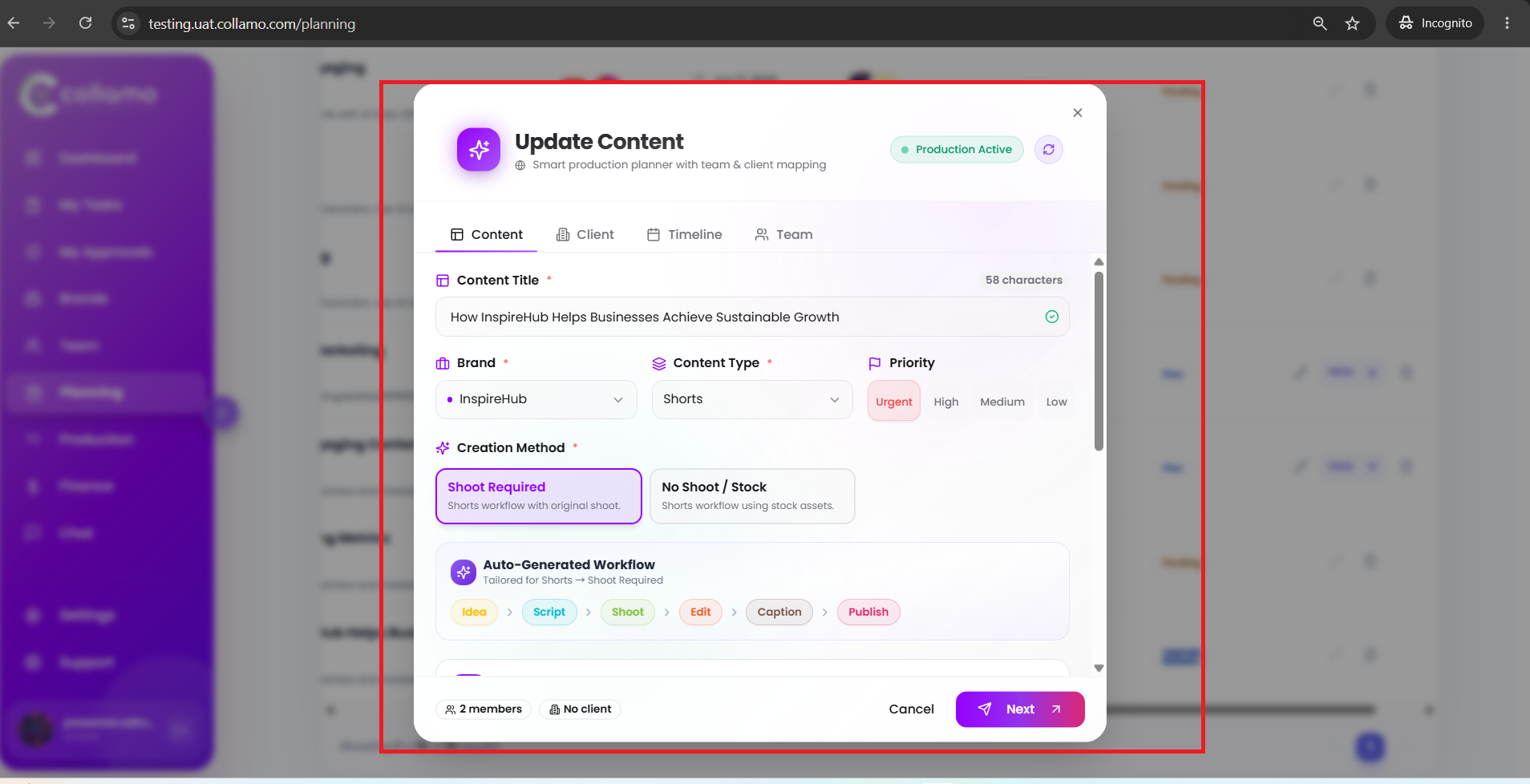
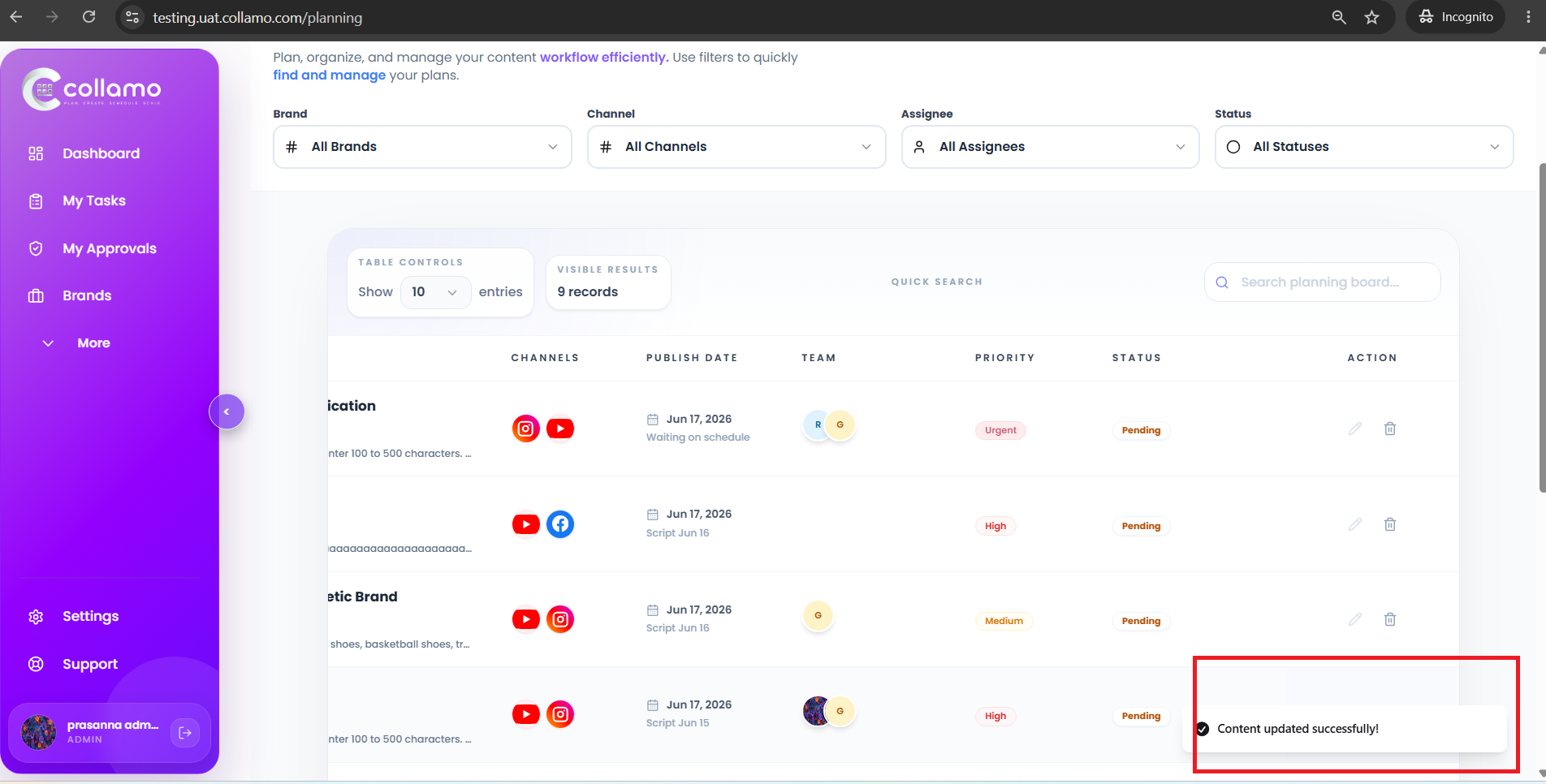
The application displays the message "Cannot edit items already in production/completed" when the user attempts to edit a content item that is in Production or Completed status. However, the user is still able to open the content, make changes, and update it successfully. After saving, the system displays a "Content updated successfully" message.
Actions