Actions
Bug #2613
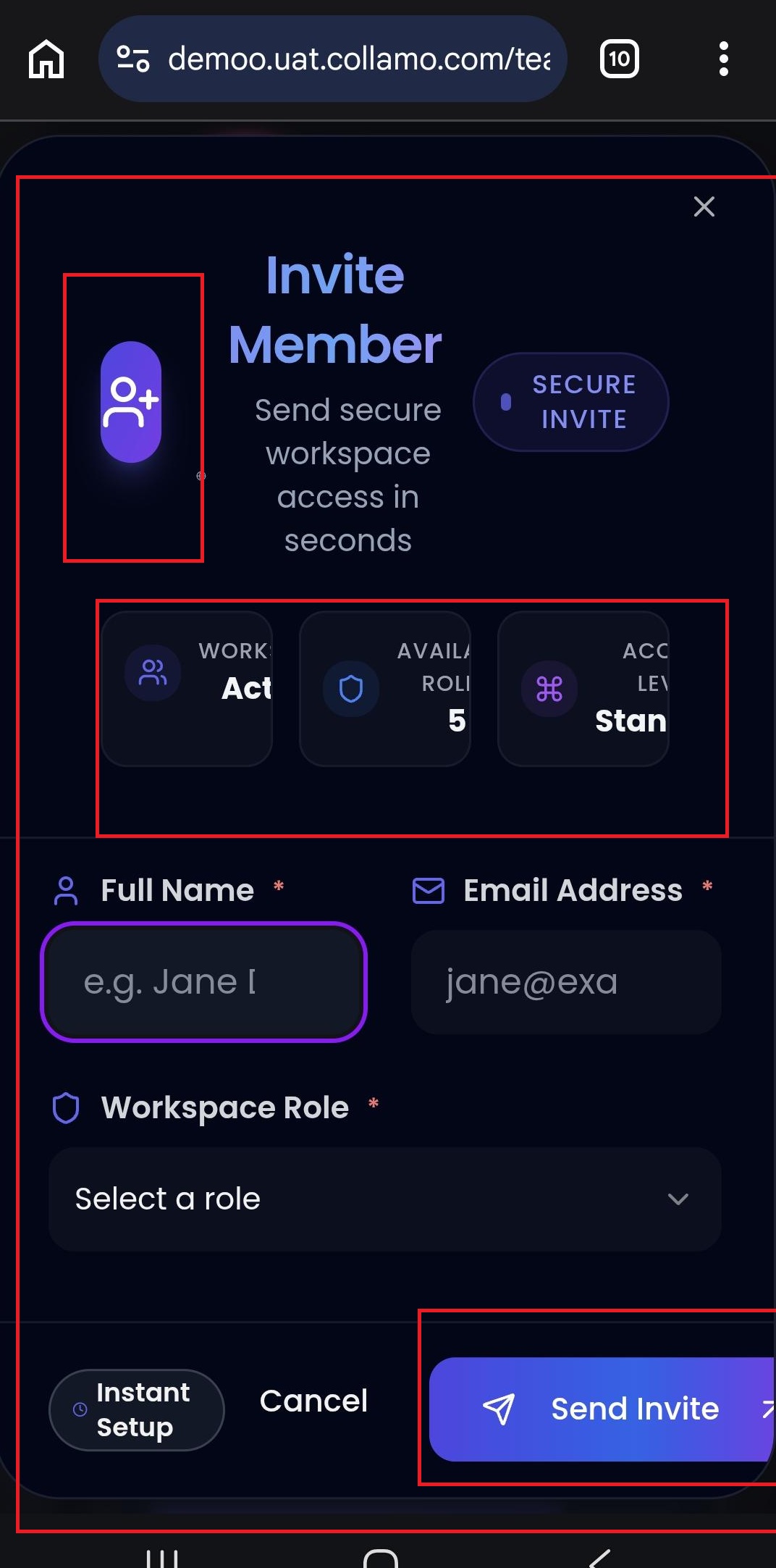
open(Mobile Browser) – Team – Invite Member Form Alignment Issue:
Status:
Resolved
Priority:
P2-High
Assignee:
Lakshmi prasanna V
Start date:
06/26/2026
Due date:
% Done:
0%
Estimated time:
Device/Browser/API:
Mobile Browser
Environment:
UAT
Current Behaviour:
- When the user clicks the Invite Member button, the Invite Member form is not properly aligned on the mobile browser, and some content appears cut off.
Expected Behaviour:
- The Invite Member form should be properly aligned on mobile devices, with all text, icons, fields, and information cards fully visible and displayed without overlap or truncation
Root Cause:
Funcational Gap
Root Cause Detail:
* When the user clicks the Invite Member button, the Invite Member form is not properly aligned on the mobile browser, and some content appears cut off.
* The Invite Member form should be properly aligned on mobile devices, with all text, icons, fields, and information cards fully visible and displayed without overlap or truncation.
Description
- When the user clicks the Invite Member button, the Invite Member form is not properly aligned on the mobile browser, and some content appears cut off.
- The Invite Member form should be properly aligned on mobile devices, with all text, icons, fields, and information cards fully visible and displayed without overlap or truncation.
Files
Actions